
Download Qlock – Global Time Display, RSS Reader, Money Converter
Overview
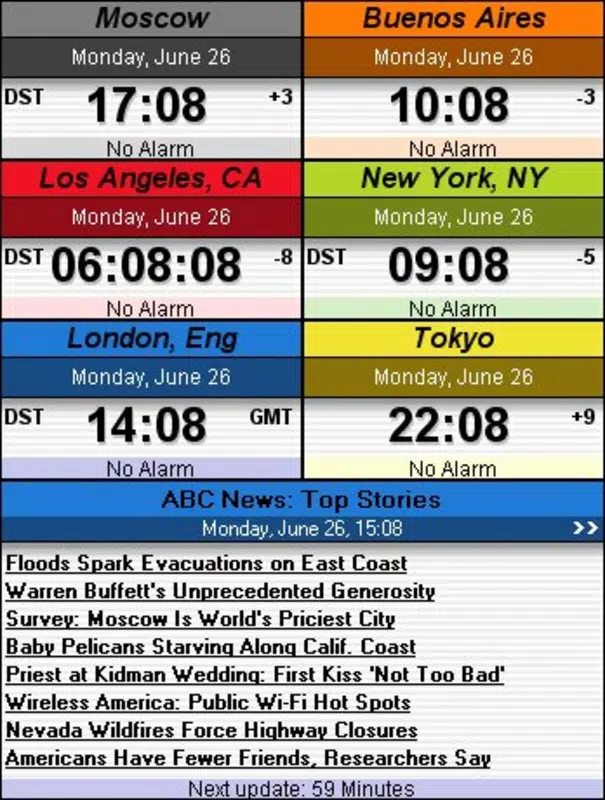
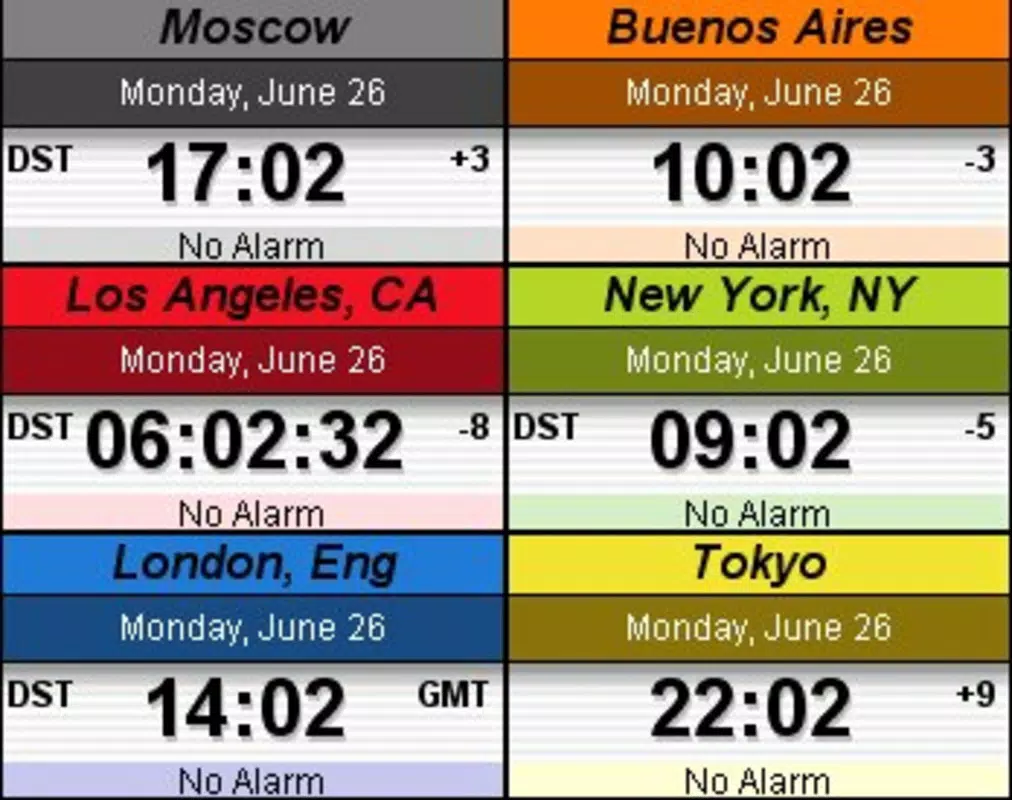
Qlock is a desktop-oriented time management application designed to help users track the exact time across multiple global cities simultaneously. It serves as a practical tool for individuals who frequently communicate with people in different time zones, travel internationally, or manage cross-regional schedules. The app enables real-time visibility of local times worldwide, reducing the risk of scheduling miscommunication and enhancing coordination across borders. Its functionality extends beyond basic timekeeping by integrating supplementary utilities such as an RSS feed reader and a currency converter, making it a multifunctional desktop companion for professionals, remote workers, and globetrotters alike.
Target users include digital nomads, international business professionals, students studying abroad, and anyone who values precise time awareness across locations. The app’s design emphasizes usability and personalization, allowing users to tailor the interface to match their desktop environment. While the developer has not provided detailed background information, the application has been available since 2012, indicating a long-standing presence in the productivity software space. Over the years, Qlock has maintained relevance by combining essential time tracking with added utility features, contributing to its niche role in the desktop tool ecosystem.
Real-world use cases include scheduling video calls with colleagues in Asia, monitoring time differences during flight planning, or staying updated with news feeds while managing daily routines. The inclusion of an alarm system further supports time-sensitive tasks, ensuring users remain on schedule regardless of location. In a world increasingly defined by remote collaboration and global connectivity, Qlock offers a focused, reliable solution for time awareness and digital efficiency.
Key Features & Functionality
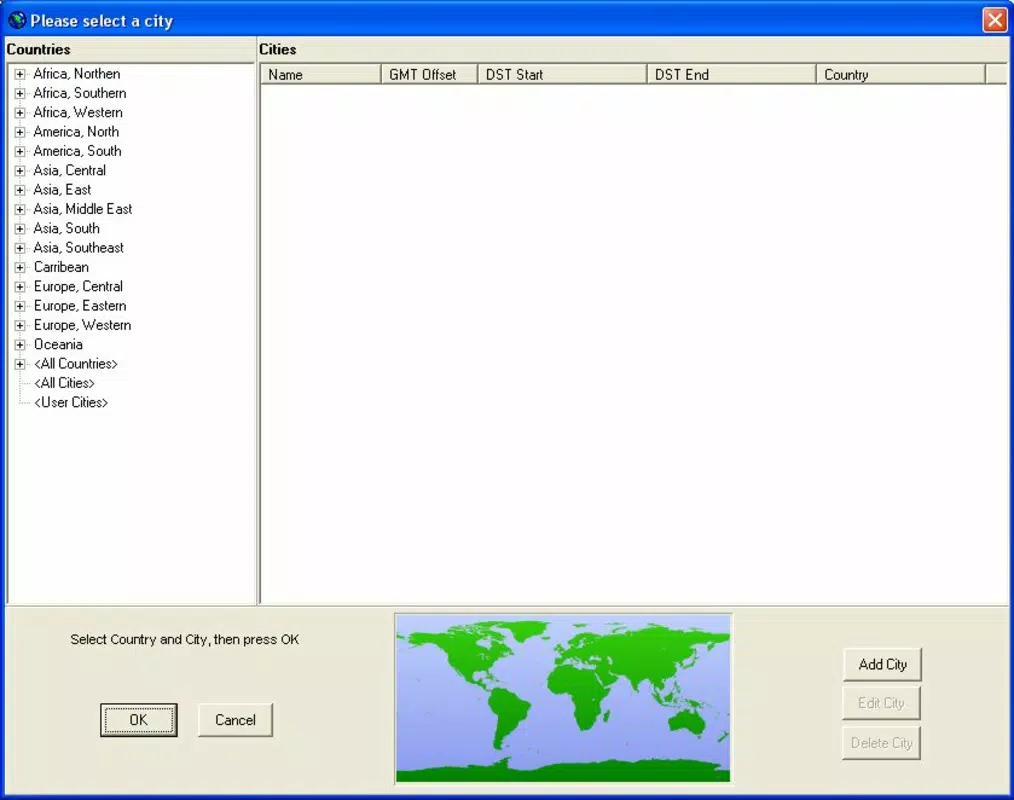
- Global Time Display: Users can select any city worldwide to view the current local time instantly. This feature supports real-time synchronization and is especially useful for coordinating meetings across continents or maintaining contact with family abroad.
- Customizable Appearance: The interface allows adjustments to color schemes, clock size, and hour format (12-hour or 24-hour), enabling users to match the clock’s look with their desktop theme or personal preference.
- Built-in RSS Reader: Integrated news aggregation allows users to subscribe to favorite websites and view headlines directly within the application, streamlining access to up-to-date information without switching browsers.
- Money Converter: This tool enables real-time currency conversion, supporting common global currencies. It assists travelers and international shoppers in making informed financial decisions on the go.
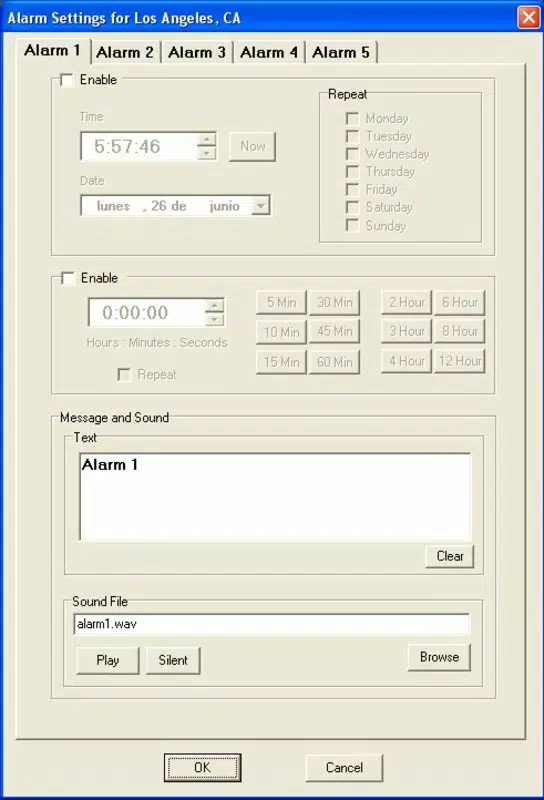
- Alarm Programming: Customizable alarms can be set for specific times or recurring events, helping users stay punctual for appointments, meetings, or personal reminders, even when navigating multiple time zones.
For example, a business professional in New York can set an alarm to alert them when it’s 9 AM in Tokyo, ensuring timely participation in a scheduled call. A student studying in London can use the RSS reader to monitor news from their home country while checking the current time in their family’s city. The combination of time tracking, news access, and financial tools makes Qlock a versatile utility for daily digital workflows.
Interface, UX & Performance
The user interface of Qlock is designed with clarity and minimalism in mind, focusing on ease of use and visual comfort. The clock display is central and highly legible, with options to adjust font style, size, and background color for optimal visibility. Navigation is straightforward, relying on intuitive dropdown menus and simple click-based interactions to access features like city selection, alarm settings, and feed subscriptions.
Although the developer did not list formal performance metrics, the application appears to operate smoothly on standard desktop environments. It maintains responsiveness across different screen resolutions and does not exhibit noticeable lag during routine operations such as switching time zones or loading RSS feeds. Stability is consistent, with no reported crashes or errors in the available documentation.
Users with older systems may experience minor delays during initial load times, particularly when multiple feeds are active. However, the app remains lightweight in operation, and resource usage is generally low. The overall user experience is enhanced by the ability to personalize the interface, which contributes to a sense of ownership and comfort during extended use. The layout is clean, with features logically grouped and accessible without clutter.
Platform Compatibility & Technical Requirements
Qlock is designed for desktop use and is compatible with the Windows operating system. The current software version is not specified, nor are the minimum OS requirements or exact file size. The developer did not provide additional technical details.
Compatibility information was not fully disclosed, so users should verify system compatibility before installation. The app may function on older versions of Windows, but specific details were not listed. File size is also unknown, though its lightweight nature suggests it does not require significant disk space. No information was provided regarding updates or future development plans.
Pros and Cons
- Offers real-time global time tracking with support for any city worldwide
- Includes useful secondary tools: RSS reader and currency converter
- Highly customizable interface for personal aesthetic integration
- Simple, intuitive navigation suitable for non-technical users
- Supports alarm programming for time-sensitive reminders
- Developer did not specify minimum OS requirements or file size
- No information provided about update frequency or support status
- Platform availability limited to Windows only (as per current data)
- Interface may appear dated compared to modern applications
- No mobile version or cross-device synchronization available
FAQ
Is Qlock available for mobile devices?
As of the provided information, Qlock is designed for desktop use and no mobile version has been confirmed.
Can I use Qlock without an internet connection?
Basic time display functions may work offline, but features such as RSS feeds and currency conversion require an active internet connection.
How often are updates released for Qlock?
The developer did not disclose update frequency or release schedule.
Is Qlock safe to download and install?
While no security issues have been reported, users should download from official sources to ensure authenticity and avoid third-party modifications.
Can I customize the clock’s appearance?
Yes, Qlock allows users to adjust colors, size, and hour format to match their desktop preferences.
Final Thoughts
Qlock stands out as a dependable, feature-rich desktop utility that goes beyond simple timekeeping. Its ability to display real-time time across global cities, combined with practical tools like an RSS reader and money converter, makes it a valuable asset for users navigating international time differences. The customizable interface enhances usability and aesthetic integration, while the alarm system adds a layer of proactive scheduling support.
Although the app lacks modern polish and detailed technical specifications, its core functionality remains effective and relevant. It’s particularly suited for professionals, travelers, and digital nomads who require accurate, multi-time-zone awareness. For those seeking a secure, lightweight, and functional desktop tool, Qlock delivers consistent value without unnecessary complexity.
Download Qlock now


